











Cracking the Code: A Complete Walkthrough of the KuKirin S1 Max Display & Controls

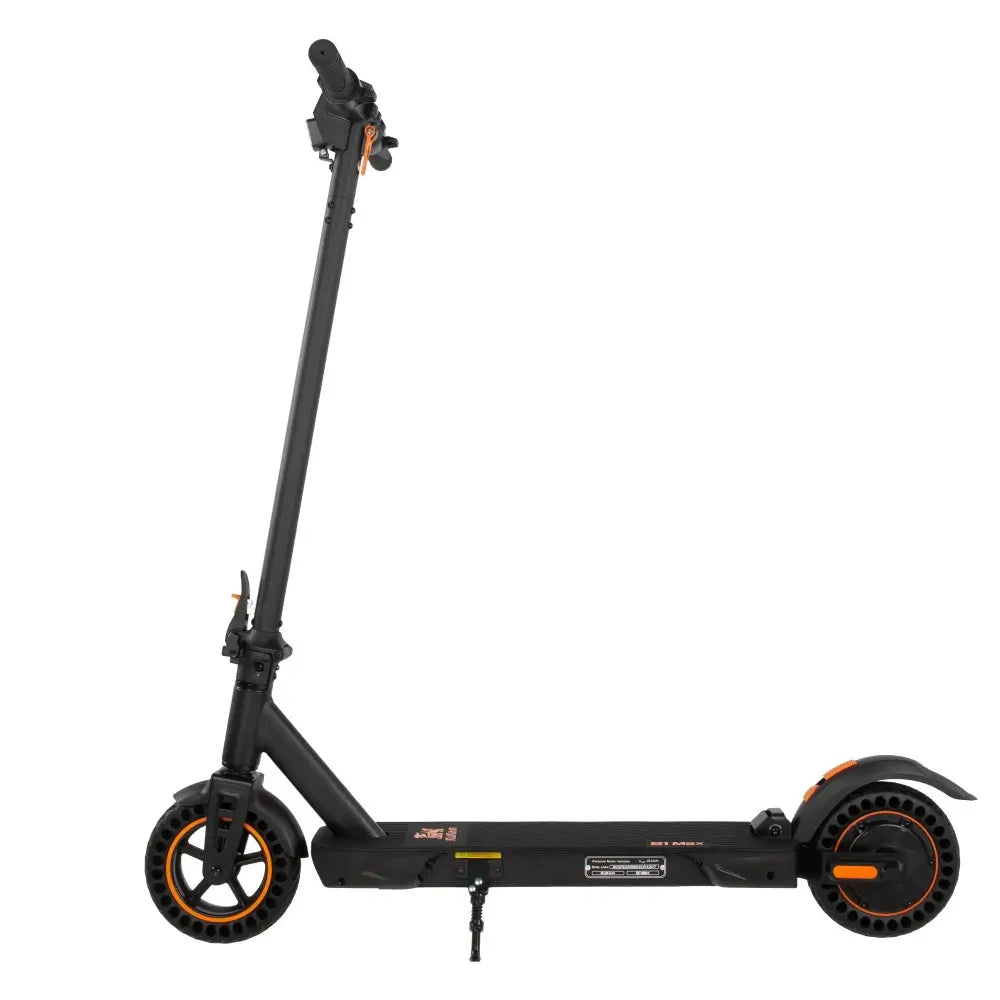
So you’ve just unboxed your KuKirin S1 Max. The solid honeycomb tires are puncture-proof, the spring suspension feels plush, and the folding mechanism is satisfyingly sturdy. But before you twist the throttle and zip away, there is one critical thing to master: the instrument panel.
For riders across the European Union, understanding your display isn't just about checking your speed. It's about staying legal, maximizing battery range, and riding safely on bike paths, city streets, and country lanes.
Let’s break down everything the KuKirin S1 Max dashboard has to offer.
1. What You See: Dashboard Icons Explained
The S1 Max features a clean, backlit LCD screen. According to the official manual, here’s what each part of the display means :
| Icon / Area | Name | What It Tells You |
|---|---|---|
| ① | Headlamp Indicator | Lights up when the front LED headlight is on. |
| ② | Speed Display | Shows your current velocity in km/h (or mph, depending on region). |
| ③ | Brake Indicator | Illuminates when you squeeze the brake lever – confirms the motor cut-off is active. |
| Gear (1-3) | Power Mode | Shows which speed mode you are in (Eco, Standard, or Sport). |
EU Compliance Tip: Always check that your headlamp icon is on when riding at dusk or night – many EU countries require lights by law.
2. Powering Up: The Correct Start Sequence
Unlike cheaper scooters that turn on instantly, the S1 Max has a two-step safety process:
-
Insert the key into the keyhole and turn it to the "ON" position. This powers the main circuit.
-
Press and hold the power button (on the dashboard) for 3 seconds. The display will light up, and the scooter is now ready.
Pro Tip: If the display won't turn on, check that the key is fully turned. If it still doesn't work, your battery might need charging or the controller may have an error code (more on that later).
3. Speed Modes (Gears): Staying EU-Legal
The KuKirin S1 Max is equipped with a 350W nominal motor (500W peak). While it can reach up to 25 km/h, you should adjust the power mode based on where you are riding.
To change gears, tap the "M" (Mode) button on the handlebar or dashboard. The display will cycle through:
-
Gear 1 (Eco Mode): Lower top speed (approx. 15–18 km/h). Best for crowded bike paths, pedestrian zones, or extending battery life. Also the safest mode for new riders.
-
Gear 2 (Standard Mode): Balanced speed and acceleration (approx. 20–22 km/h). Ideal for daily commuting on dedicated bike lanes.
-
Gear 3 (Sport Mode): Unlocks the full 25 km/h (EU limit). Use only on open roads or private property where higher speeds are permitted.
Compliance Note: Most EU countries require e-scooters to be limited to 25 km/h on public roads. Keeping the S1 Max in Gear 2 or 3 is fine as long as you don't exceed that limit. However, always check your local regulations – some cities (e.g., Paris, Barcelona) have lower limits (20 km/h).
4. Hidden Features: Cruise Control & Start Method
The S1 Max manual hints at two features that make long rides much more comfortable.
Cruise Control (If Equipped on Your Version)
-
How to activate: Maintain a steady speed for about 5–8 seconds. The scooter may beep, and the speed will lock.
-
How to disengage: Tap the throttle, squeeze the brake lever, or press the mode button.
-
Note: Not all firmware versions include cruise control. Test it in a safe, open area first.
Kick-to-Start vs. Zero Start
This is a safety-critical setting.
-
Kick-to-Start (Default, Safer): The motor will not engage until you manually push off (kick the scooter to ~3 km/h) and then press the throttle. Prevents accidental acceleration at standstill.
-
Zero Start (Instant Throttle): The throttle works immediately. Warning: The manual advises against this for beginners, as it can cause loss of balance.
How to check: Try twisting the throttle while the scooter is stationary (on its kickstand). If the wheel spins, you have Zero Start. If nothing happens, you have Kick-to-Start. Refer to your dealer for changing this setting – it often requires a specific button combination.
5. Units & Display Settings (P-Settings)
While the S1 Max manual does not detail a full "P-menu" like some higher-end models, you can usually access basic settings by holding the "M" button and the Power button simultaneously for 3–5 seconds.
Inside this hidden menu, look for:
-
Unit Setting (P1 or similar): Ensure it is set to km/h for EU roads. If it shows mph, you are not compliant with local speed displays.
-
Voltage Display: Should read 36V (do not change unless you have modified the battery).
-
Wheel Size: Should be set to 8 inches (default for S1 Max).
If you cannot access this menu, consult your authorized KuKirin dealer – firmware variations exist between batches.
6. Error Codes: What Those "E" Numbers Mean
If your S1 Max suddenly stops working or won't start, the display will flash an error code. Here are the most common ones from the manual :
| Code | Meaning | What To Do |
|---|---|---|
| 1E | Motor hall sensor fault | Replace motor or controller (contact dealer). |
| 2E | Throttle fault | Stuck or damaged throttle – replace it. |
| 3E | Controller failure | Replace controller. |
| 4E | Brake failure | Check the white wire on the controller. Brake lever switch may be stuck. |
| 5E | Under-voltage | Battery is too low – charge immediately. |
| 6E | Reception fault | Display not communicating with controller. Replace instrument or controller. |
| 7E | Transmission fault | Similar to 6E – communication error. |
| 9E | Controller over-temperature | Controller got too hot (e.g., climbing long hills). Let it cool down. |
Quick Fix: For a 5E error, simply recharge the battery. For a 9E error, stop riding for 15–20 minutes to let the controller cool.
7. Riding Tips for EU Compliance
Based on the S1 Max manual and common EU regulations, here’s a quick checklist before every ride:
| Check | Why It Matters |
|---|---|
| Helmet & protective gear | Required in many EU countries (e.g., Spain, France for under-18s). Reduces injury risk. |
| Lights on (icon ① lit) | Mandatory for night riding in Germany, France, Italy, etc. |
| Brake test (icon ③ lights) | Confirms motor cut-off works – essential for safety. |
| Speed mode (Gear 1-3) | Stay within local limits (usually 20-25 km/h). |
| Tire pressure | Solid honeycomb tires don't need air, but check for wear. |
| No passengers | S1 Max is for one person only (max load 100 kg). |
Summary: Ride Smart, Stay Legal
The KuKirin S1 Max is a reliable, well-built commuter scooter. But its true potential is only unlocked when you understand the dashboard, speed modes, and error codes.
Your EU Compliance Quick-Reference:
-
✅ Keep speed in Gear 2 or 3 (max 25 km/h).
-
✅ Always ride with lights on after dark.
-
✅ Wear a helmet – it's not just smart, it's often the law.
-
✅ Learn the error codes (1E to 9E) so you know when to stop and fix.
-
✅ Never ride with a passenger or exceed 100 kg load.
Master these settings, and your KuKirin S1 Max will serve you safely, legally, and efficiently for years to come.